Fingerprint vs PIN vs App: Which Smart Lock Unlock Method Is Actually the Safest?
 Blogs
Blogs
Smart locks are becoming a common feature in modern homes, offering both convenience and security. But with multiple unlock methods available, a smart lock with fingerprint, PIN, or mobile app access raises an important question: which option is actually the safest?
Here is how each method compares across reliability, security risks, and everyday practicality, so you can choose the right combination for your household.
1. Fingerprint Unlock
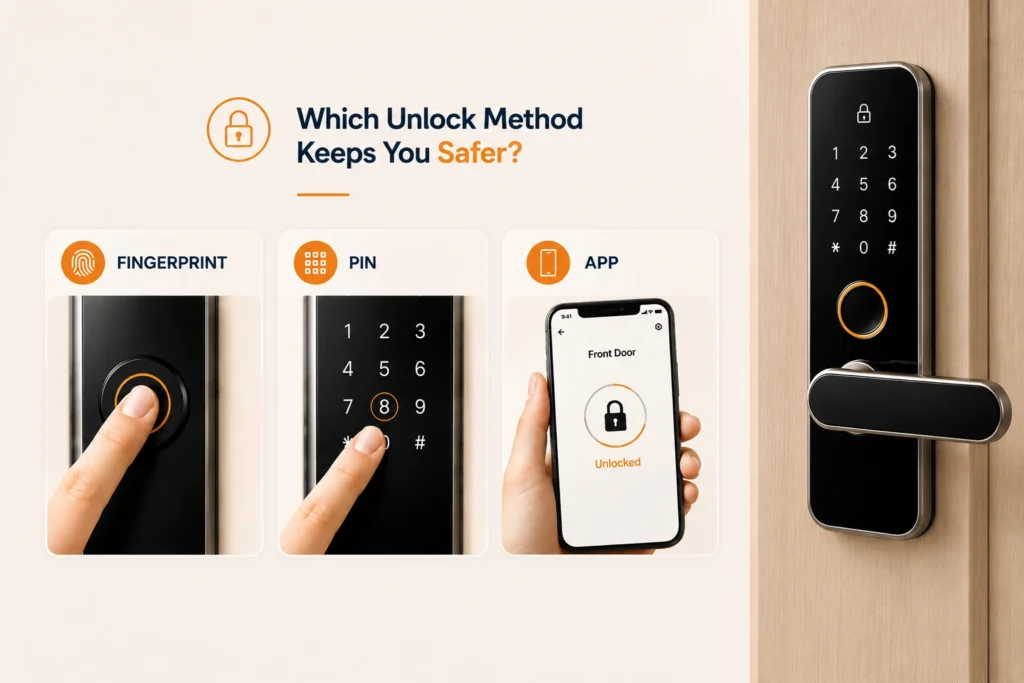
Fingerprint unlock uses a biometric sensor to scan and match your fingerprint. It is unique to each person and hard to duplicate, and it is quick and convenient since there is no code to remember. Its main limitations are that sensor accuracy can be affected by dirt, cuts, or moisture, and some cheaper models can potentially be spoofed with fake prints. Overall, it is highly secure when the lock uses genuinely advanced biometric technology.
2. PIN Code Unlock
PIN unlock simply requires entering a numeric code on the lock’s keypad. It is easy to share with family or guests and does not depend on a phone or biometrics at all. The risks include shoulder-surfing, where someone watches you enter the code, weak codes like 1234 being easily guessed, and the need for periodic changes to stay secure. A PIN is genuinely secure as long as you use strong, regularly updated codes.
3. Mobile App Unlock
App unlock connects via Bluetooth, Wi-Fi, or a smart home app. It allows remote access to unlock from anywhere, can generate temporary digital keys for guests, and keeps activity logs showing exactly who accessed the lock. Its limitations are that it depends on phone battery and internet access, and it can be vulnerable to hacking if the app or Wi-Fi network is insecure. It is a convenient method, but one that requires strong cybersecurity habits to stay safe.
No single unlock method is completely foolproof on its own. A lock that supports fingerprint, PIN, and app access together is what actually closes the gaps each method leaves open.
4. Security Comparison and Practical Scenarios
Fingerprint offers the best personal security with minimal risk of duplication. PIN is reliable but vulnerable to human error, such as weak codes or careless sharing. App unlock is the most flexible option, but its security depends heavily on your digital hygiene. Realistically, no single method is completely foolproof, which is why combining them offers genuinely layered protection.
- Family home: PIN works well for multiple users who need shared access.
- Personal use: fingerprint offers quick, secure access for a single primary user.
- Smart home enthusiasts: app unlock integrates naturally with broader home automation systems.
5. The 2026 Smart Lock Reality
In urban homes, a fingerprint plus app combo has become the most popular setup. Rental properties tend to favour PIN codes for easy sharing between tenants. Security-conscious buyers are increasingly choosing locks that support multiple unlock methods for built-in redundancy.

6. Frequently Asked Questions
Q: Which is the safest smart lock unlock method, fingerprint, PIN, or app?
Fingerprint offers the strongest personal security, but combining fingerprint, PIN, and app access provides the most layered protection overall, since no single method is completely foolproof.
Q: Can a smart lock fingerprint sensor be fooled?
Cheaper models with weaker sensors can potentially be spoofed, while locks with advanced biometric technology are significantly harder to trick.
Q: Is a PIN code safe to use on a smart lock?
Yes, as long as you use a strong code rather than something predictable like 1234, and change it periodically to reduce the risk from shoulder-surfing or sharing.
Q: What are the risks of using app unlock on a smart lock?
App unlock depends on phone battery and internet connectivity, and it can be vulnerable to hacking if the app or your Wi-Fi network is not properly secured.
Q: Should I choose a smart lock with multiple unlock methods?
Yes, for most households. A multi-method lock offers redundancy, so if one method fails or is compromised, you still have reliable ways to get in.
7. Conclusion
Fingerprint unlock is the safest option for personal use, PIN codes are practical for shared household access, and mobile apps offer unmatched convenience. The smartest approach in 2026 is not picking just one method, but choosing a multi-method smart lock that combines fingerprint, PIN, and app access for maximum security and flexibility.