Best Smart Home Devices for Indian Homes: What Is Actually Worth Buying?
 Blogs
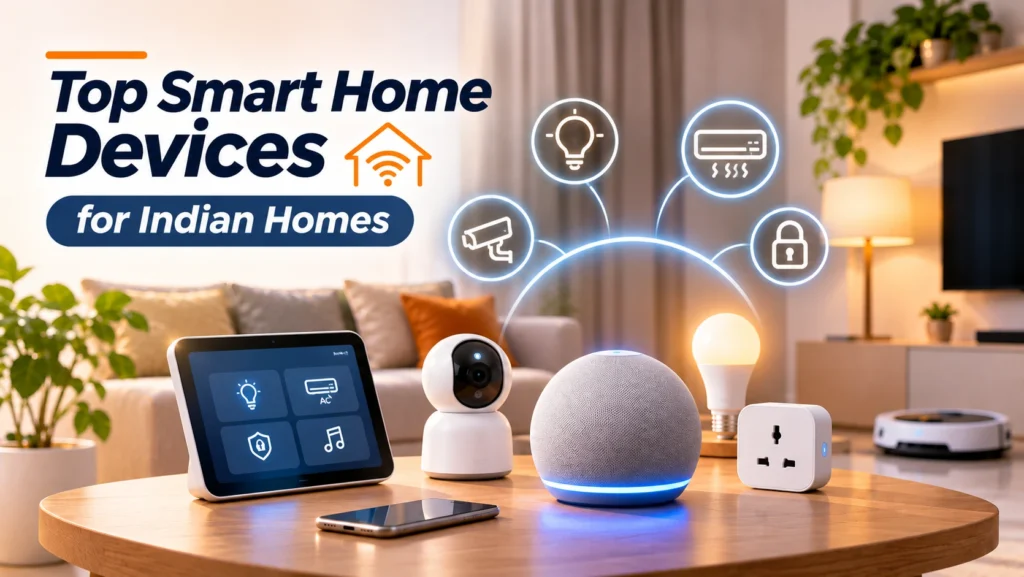
The best smart home devices are not necessarily the most expensive or feature-packed gadgets. They are the ones that make everyday tasks easier, improve home security or help you manage appliances more efficiently. In Indian homes, useful options include smart speakers, security cameras, digital door locks, smart lighting, smart plugs and robot vacuum cleaners.
But before buying, it is important to consider practical factors such as Wi-Fi connectivity, power cuts, installation requirements, device compatibility and after-sales support. A gadget may look impressive online but offer little value if it does not fit your daily routine.
Here is a closer look at which smart home devices are worth considering, what features to look for and when you can skip them.
1. Smart Speakers: Convenient Voice Control
Smart speakers are among the easiest ways to start building a smart home. They let you play music, set reminders, check the weather and control compatible devices using voice commands.
For example, you can ask a smart speaker to switch off connected lights, control a compatible plug or start a routine without opening an app.
What makes them worth buying?
- Hands-free control of compatible smart devices.
- Voice-based reminders, alarms and music playback.
- Support for routines that automate everyday tasks.
- Integration with compatible smart home platforms.
What should you check before buying?
Look at voice recognition, supported languages, speaker quality and compatibility with your existing devices. If you already use smart bulbs or plugs, check whether they work with the speaker’s ecosystem.
Worth buying if: You regularly use voice commands or want one convenient way to control multiple devices.
Skip it if: You only want a basic Bluetooth speaker and do not plan to automate other devices.
2. Smart Security Cameras: Monitor Your Home Remotely
Smart security cameras are useful for monitoring entrances, balconies, parking areas and indoor spaces. Most connect to a smartphone app and provide features such as motion detection, night vision and real-time notifications.
Some cameras also offer two-way audio, allowing you to communicate with someone near the camera through your phone.
Features worth looking for:
- Full HD or higher video resolution.
- Night vision for low-light monitoring.
- Motion detection with adjustable notification settings.
- Two-way audio for communication.
- Local microSD storage or optional cloud recording.
- Weather resistance for outdoor installation.
For Indian households, check whether the camera can continue recording locally if the internet connection goes down. Also consider power backup if you need monitoring during outages.
Before purchasing, understand the storage plan. Some brands charge separately for cloud recording, while others support local memory cards.
You can explore available options from TP-Link Tapo’s official India range, which includes indoor and outdoor cameras.
Worth buying if: You want to monitor your home while travelling or keep an eye on entrances and common areas.
Skip it if: You do not have a suitable installation location or are uncomfortable with the privacy considerations of connected cameras.
3. Smart Door Locks: Keyless Access and Better Control
Smart door locks replace or supplement traditional keys with access methods such as fingerprints, PINs, RFID cards and smartphone apps.
They can be especially useful for households where multiple family members, domestic helpers or regular visitors need controlled access.
Features worth looking for:
- Fingerprint and PIN access.
- Physical key backup or another emergency entry method.
- Low-battery alerts and emergency power options.
- Temporary access codes for guests.
- Tamper alerts and automatic locking.
- Compatibility with your existing door.
Before buying, check your door’s material, thickness, lock dimensions and installation requirements. Not every digital lock fits every Indian apartment door.
Battery backup is another important consideration. A smart lock should provide a reliable way to enter the house even when its batteries run low.
Worth buying if: You frequently manage access for family members, guests or service staff.
Skip it if: Your door is incompatible, installation is difficult or you do not need keyless access.
4. Smart Lighting: Automate Everyday Lighting
Smart bulbs and lighting systems let you control brightness, colours and schedules through an app or compatible voice assistant.
You can schedule lights to switch on in the evening, dim them before bedtime or turn them off remotely when nobody is home.
Features worth looking for:
- Adjustable brightness.
- Warm and cool white lighting.
- Colour control if you need decorative lighting.
- Scheduling and automation.
- Compatibility with your existing smart home platform.
For a simple setup, smart Wi-Fi bulbs are often easier to install because they can connect directly to your home network. Some advanced lighting systems use a separate hub or bridge.
One important detail: smart bulbs generally need to remain connected to power. If someone switches off the physical wall switch, app and voice controls may stop working until power is restored.
Worth buying if: You want convenient lighting schedules or remote control without changing your existing wiring.
Skip it if: You only need basic on-and-off lighting and will not use the additional features.
5. Smart Plugs: Make Regular Appliances Smarter
Smart plugs are one of the most practical entry points into home automation. They connect to a regular wall socket and allow compatible appliances to be switched on or off through an app or schedule.
For example, you can schedule a lamp to turn on in the evening or remotely switch off a compatible appliance that you accidentally left running.
Some models also offer energy monitoring, helping you understand how much electricity a connected appliance uses.
Features worth looking for:
- Correct current and wattage rating.
- Scheduling and remote control.
- Energy monitoring, if required.
- Overload protection and safety features.
- Compatibility with your preferred voice assistant.
An important point for Indian homes: Do not assume every smart plug can handle every appliance. A regular low-current plug should not be used for a high-power geyser, microwave or air conditioner. Check the appliance’s power requirements and the plug’s rating before connecting anything.
For heavier appliances, use only a suitably rated product and consult a qualified electrician if you are unsure.
You can compare available smart plug options through TP-Link Tapo’s official product range.
Worth buying if: You want affordable automation for compatible lamps and other appliances.
Skip it if: Your appliance requires a higher electrical rating than the plug supports or you do not need remote switching.
6. Robot Vacuum Cleaners: Reduce Daily Cleaning Effort
Robot vacuum cleaners can handle routine floor cleaning with minimal manual effort. Depending on the model, they can map rooms, avoid obstacles, follow scheduled cleaning routines and even mop floors.
They are particularly useful for households that want regular dust removal without manually vacuuming every day.
Features worth looking for:
- Reliable room mapping and navigation.
- Strong suction and suitable cleaning modes.
- Edge and corner cleaning.
- Obstacle detection.
- Vacuum-and-mop functionality, if needed.
- Easy availability of replacement brushes, filters and accessories.
For Indian homes, pay attention to dust collection, hair handling and floor transitions. Check whether the robot can cross door thresholds and clean around furniture commonly found in your home.
Also consider the maintenance involved. Dustbins, filters, brushes and mop pads need regular cleaning or replacement.
Worth buying if: You have a busy routine, mostly hard flooring and want help with everyday cleaning.
Skip it if: Your home has many stairs, cluttered floors, thick rugs or difficult-to-cross thresholds that limit the robot’s movement.
7. Which Smart Home Devices Should You Buy First?
You do not need to automate your entire house at once. Start with devices that solve an immediate problem and expand your setup as your requirements grow.
Here is a simple comparison:
| Device | Main purpose | Best suited for | Buying priority |
|---|---|---|---|
| Smart speaker | Voice control and routines | Everyday convenience | High |
| Security camera | Remote home monitoring | Home security | High |
| Smart door lock | Keyless entry | Controlled access | High, if needed |
| Smart lighting | Automated lighting | Daily convenience | Medium |
| Smart plug | Remote appliance control | Basic automation | High |
| Robot vacuum | Automated floor cleaning | Busy households | Depends on budget |
A sensible starting combination:
- For basic automation: Start with a smart plug and one smart bulb.
- For home security: Consider a security camera or smart door lock based on your requirements.
- For voice control: Add a smart speaker that supports your existing devices.
- For cleaning convenience: Consider a robot vacuum when your home layout and budget make it worthwhile.
The best smart home devices should work together rather than operate as separate gadgets with different apps and controls.
8. What to Check Before Buying Smart Home Devices
Before purchasing multiple connected products, make sure they can work reliably in your home.
Device Compatibility
Check whether the product supports the same ecosystem as your existing devices. Some products work only with specific apps or voice assistants.
You can also look for Matter certification when buying compatible smart home products. Matter is an industry standard designed to improve compatibility between devices and smart home platforms.
Read the Connectivity Standards Alliance’s Matter FAQ to understand how the standard works.
Wi-Fi and Internet Requirements
Many smart home products rely on Wi-Fi to communicate with their apps and cloud services. Check the supported Wi-Fi bands and whether the device requires a 2.4GHz connection.
Also consider your router’s coverage. A camera or smart plug installed far from the router may experience connection problems.
Power Backup
Power cuts can interrupt smart home functions. Cameras, Wi-Fi routers and hubs may stop working unless they have a backup power source.
If uninterrupted monitoring or access is important, consider a suitable UPS or battery backup for the necessary equipment.
Privacy and Security
Smart cameras, speakers and locks can collect personal information. Before buying, check the manufacturer’s privacy policy, data storage options and software update support.
Use strong, unique passwords and enable two-factor authentication wherever available. The FBI’s IoT security guidance also recommends checking device security practices and manufacturer support before purchasing connected products.
Installation and Maintenance
Some products need professional installation, while others can be set up through an app. Check installation costs, warranty coverage and the availability of service support and replacement parts.
For a broader look at how connected devices are changing everyday living, read our AI at Home: The Connected Living Report 2026.
9. Frequently Asked Questions
What are the best smart home devices for Indian homes?
Smart plugs, security cameras, smart speakers, digital door locks and smart lighting are useful starting points. The right combination depends on your household’s security, convenience and automation needs.
Which smart home device should I buy first?
A smart plug or smart bulb is a simple starting point because it allows you to automate basic tasks without making major changes to your home. If security is your main concern, consider a smart camera first.
Do smart home devices work during a power cut?
Most smart devices require electricity to operate. Battery-powered locks may continue functioning, but cameras, Wi-Fi routers and smart hubs can stop working without backup power. Check the individual product’s specifications.
Do all smart home devices work with Alexa and Google Home?
No. Compatibility varies by brand and model. Check the supported voice assistants and smart home platforms before purchasing. Matter certification can also help with compatibility, but you should still verify the device’s supported features.
Are smart plugs safe for heavy appliances in India?
Only if the smart plug is specifically rated for the appliance’s electrical load and is suitable for that type of use. Never connect a high-power appliance to an underrated plug. Check the manufacturer’s instructions and consult an electrician when necessary.
10. Final Thoughts
The best smart home devices are the ones that solve everyday problems without making your home unnecessarily complicated. Smart plugs and lighting offer simple automation, cameras and digital locks help manage security, smart speakers make control easier, and robot vacuums reduce daily cleaning effort.
You do not need to buy everything at once. Start with one or two devices that address your biggest needs, check their compatibility and expand your setup gradually.
Before purchasing, compare features, electrical requirements, privacy policies, warranty and after-sales support. A well-planned smart home is more useful than a collection of expensive gadgets you rarely use.