What Is a Smart Plug and How Is It Different from a Normal Plug?
 Blogs
Blogs
Imagine you’re already in bed and realise you’ve left the table lamp on. Or you want your decorative lights to switch on automatically every evening without remembering to do it yourself. A smart plug can help with situations like these.
A smart plug connects to a regular wall socket and lets you control the power supply to a connected appliance using your phone. Depending on the model, you can also schedule when it turns on or off or control it through a compatible voice assistant.
But is a smart plug really worth buying? Can it work with your existing appliances, and will it help you save electricity? Here’s what you need to know before deciding whether one makes sense for your home.
1. What Is a Smart Plug and What Does It Do?
A smart plug is an adapter that fits into a wall socket and lets you control the electricity supplied to a connected appliance. Instead of operating the appliance only through its physical switch, you can use a smartphone app or set a schedule to turn its power on or off.
For example, if you connect a table lamp to a compatible smart plug, you can schedule it to turn on at 7 PM every evening. You don’t need to buy a smart lamp because the plug adds remote power control to your existing one.
What can you do with a smart plug?
The exact features depend on the model, but common options include:
- Remote control: Turn compatible appliances on or off using your phone.
- Scheduling: Set appliances to switch on or off at specific times.
- Voice control: Operate supported plugs using a compatible voice assistant.
- Smart-home routines: Include connected appliances in automated routines.
- Energy monitoring: Track electricity consumption on models that support this feature.
Not every smart plug includes all these functions. If you specifically want energy monitoring or voice control, check the product specifications before buying.
2. How It Works
Using a smart plug is fairly straightforward. You plug it into a wall socket, connect your appliance, and follow the manufacturer’s instructions to set it up. Once configured, you can control its power supply through the supported app or smart-home system.
Most Wi-Fi smart plugs connect to your home network. Other models use technologies such as Zigbee or Thread and may require a compatible hub or controller.
The important thing to understand is that your appliance doesn’t necessarily need its own Wi-Fi connection. A regular table lamp, for example, can be controlled through a compatible smart plug even though the lamp itself isn’t connected to the internet.
However, the plug can only control the appliance’s power supply. It cannot automatically add features that the appliance wasn’t designed to support.
If you want to use voice commands, check whether the plug works with your preferred assistant. Amazon’s guide to connecting smart-home devices to Alexa explains the setup process for compatible devices.
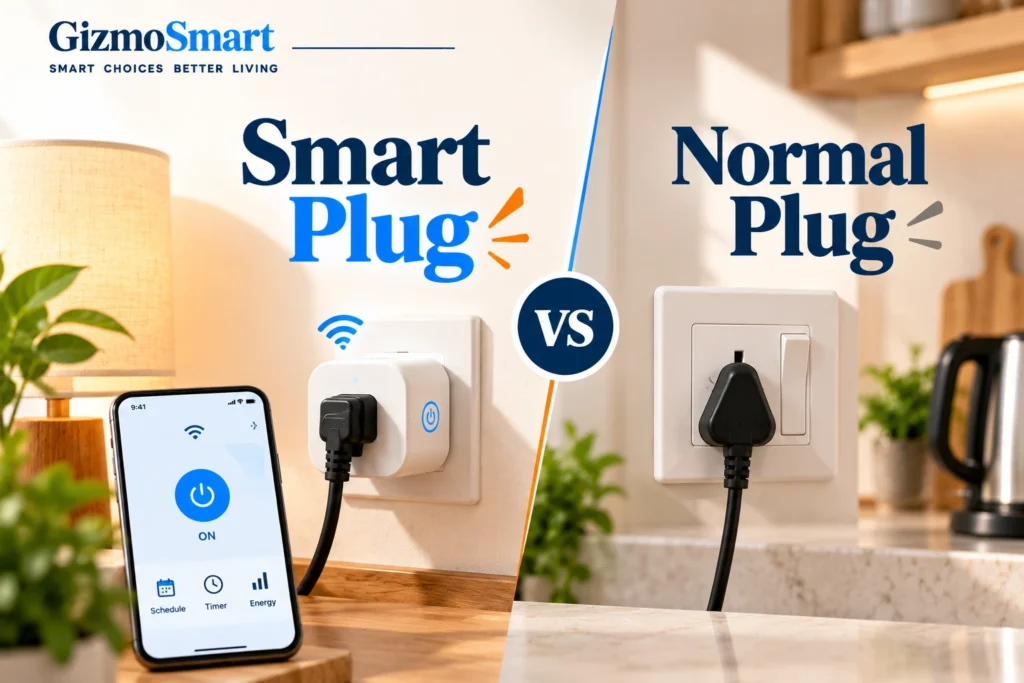
3. Smart Plug vs Normal Plug: What’s the Difference?
The main difference is how much control you get over a connected appliance.
A normal plug provides a power connection, and you generally operate the appliance using its own controls. A smart plug adds features such as remote switching and scheduling, depending on the model and your setup.
| Feature | Normal Plug | Smart Plug |
|---|---|---|
| Basic power connection | Yes | Yes |
| Manual operation | Yes | Yes, depending on the appliance |
| Control through a phone | No, not by itself | Available on compatible models |
| Automatic scheduling | No, not by itself | Available on supported models |
| Voice control | No, not by itself | Requires a compatible assistant |
| Energy monitoring | No, not by itself | Available on selected models |
| Cost | Generally lower | Generally higher |
Which one should you choose?
A normal plug is sufficient if you simply want to connect an appliance and operate it manually. A smart plug makes more sense if you want to automate everyday tasks or control compatible appliances without reaching for their switches.
For instance, if you regularly forget to switch off a decorative lamp at night, scheduling could be useful. If you never need remote control or automation, the extra cost may not be worthwhile.
4. Control Your Appliances from Anywhere
One of the main reasons people buy smart plugs is to control appliances from their phones. Once the plug is configured, you can use its app to switch the connected device on or off, provided the plug and your network support that function.
This can be handy when you want to switch on a lamp before entering a dark room, turn off compatible equipment after leaving home, or control decorative lights without reaching behind furniture.
There is one catch: switching on the power isn’t always the same as switching on the appliance.
Some appliances resume their previous operation when power returns, while others remain off until you press a physical button. A smart plug may not work as expected with the second type.
Before buying one for a specific appliance, check how that appliance behaves when its power supply is interrupted and restored.
5. Smart Plug Uses: Scheduling Appliances Automatically
If you use the same appliance at roughly the same time every day, scheduling can save you the trouble of switching it manually.
For example, you could set a table lamp to turn on at 7 PM, schedule decorative lights to turn off at bedtime, or arrange for seasonal lighting to operate only during the evening.
Scheduling is particularly useful for simple appliances that can resume operation when power is restored. However, it doesn’t guarantee that every connected device will start working automatically.
Keep in mind that a schedule only controls the power supply. If an appliance requires you to press a button before it starts, the smart plug cannot perform that action for you.
6. Smart Plug Automation and Voice Control
Some smart plugs work with voice assistants, allowing you to control a connected appliance without opening an app. For example, you might ask a compatible assistant to switch on a lamp while you’re busy doing something else.
Depending on the smart-home platform, you may also be able to create routines that combine multiple actions, such as switching on a light at a set time or controlling several compatible devices through one command.
Before buying a smart plug for voice control, check three things:
- Does it support your preferred voice assistant?
- Does it require a separate hub or controller?
- Are the features you want available on your chosen platform?
Compatibility matters because a plug that works with one smart-home system may not support every feature on another. Amazon’s Alexa device setup guide is a useful reference if you’re planning to use Alexa.
7. Can a Smart Plug Monitor Energy Consumption?
Some smart plugs can measure how much electricity a connected appliance consumes and display the information in an app. This can help you understand the power usage of individual devices instead of guessing how much electricity they use.
However, energy monitoring isn’t available on every model. Some smart plugs only offer remote control and scheduling, while others provide power-consumption information and usage reports.
For example, TP-Link’s energy-monitoring FAQ explains how supported devices measure and display electricity consumption.
Can a smart plug reduce your electricity bill?
It can help you manage electricity use, but savings aren’t guaranteed.
A smart plug may make it easier to switch off compatible devices when they’re not needed. If the model supports energy monitoring, you can also use its readings to understand how much electricity a connected appliance consumes.
Your actual savings depend on the appliance, how much electricity it uses, and whether you change your habits. Simply installing a smart plug won’t automatically lower your bill.
8. What Can a Smart Plug Not Do?
A smart plug is useful for controlling power, but it has limitations. Understanding them can help you avoid buying one for an appliance it cannot operate as expected.
Here are the main things to remember:
- It doesn’t add new appliance functions. Connecting a regular fan to a smart plug won’t automatically give you remote speed control.
- It can’t operate physical buttons. Some appliances won’t start just because their power supply has been switched on.
- It doesn’t make every appliance smart. The plug controls power, not necessarily the appliance’s individual settings.
- It has electrical limits. Every model has a maximum supported load, which must not be exceeded.
- Some features depend on connectivity. Remote access and certain automation functions may require a working network or compatible controller.
Is it safe to connect any appliance to a smart plug?
No. Always check the plug’s electrical rating and the appliance’s power requirements before connecting them.
Be particularly careful with high-power appliances such as heaters, irons and kettles. Do not assume a smart plug designed for a lamp is suitable for an appliance that draws significantly more power. Follow the manufacturer’s instructions and use the plug only for applications it is rated to support.
Amazon’s smart plug safety guidance warns against overloading the device and using it for equipment where unsupervised operation could be dangerous. Electrical Safety First’s socket safety guide also explains why overloading sockets can create a fire risk.
9. Best Smart Plug Uses Around the Home
For most people, the easiest way to start is to use a smart plug with a simple appliance that you regularly switch on and off.
| Appliance | What a smart plug can help you do | Important consideration |
|---|---|---|
| Table lamp | Switch it on remotely or set a schedule | The lamp must be switched to an operating state that allows it to turn on when power returns. |
| Decorative lights | Automate when the lights turn on or off | Check the power requirements. |
| Entertainment equipment | Control the power supply remotely | Some devices may need to restart or be switched on manually. |
| Seasonal lighting | Set operating times for decorative lights | Make sure the plug is suitable for the intended environment. |
| Certain fans | Switch the power supply on or off | Speed and other settings may not be controllable through the plug. |
| Compatible small appliances | Schedule power for routine use | Confirm that automatic operation is supported and safe. |
A table lamp or decorative light is often a sensible starting point because the purpose is simple: control when the light receives power. More complex appliances need a little more checking before you connect them.
10. Frequently Asked Questions
What is a smart plug used for?
A smart plug lets you control compatible appliances through a phone, schedule when they receive power, or connect them to supported smart-home routines. Selected models can also monitor electricity consumption.
What is the difference between a smart plug and a normal plug?
A normal plug provides a basic power connection. A smart plug adds electronic controls that may allow remote switching, scheduling and voice control.
Does a smart plug make any appliance smart?
No. It gives you control over the appliance’s power supply, but it doesn’t automatically add features such as fan speed adjustment or temperature control.
Do smart plugs need Wi-Fi?
Many smart plugs use Wi-Fi for app-based control and remote access. Others use technologies such as Zigbee or Thread and may require a compatible hub or controller. Check the model’s connectivity requirements before buying.
Are smart plugs worth buying?
They can be worthwhile if you regularly want to control appliances remotely or automate simple tasks. If you prefer manual control and don’t need these features, a normal plug may be sufficient.
11. Conclusion
A smart plug is a relatively simple way to add remote power control and scheduling to compatible everyday appliances. It can be useful for tasks such as automating decorative lights, controlling a table lamp or managing certain devices without reaching for their switches.
Whether it’s worth buying depends on how you plan to use it. If remote control and automation would make your daily routine easier, a smart plug may be a practical addition to your home. If you only need a basic power connection, a normal plug will do the job.
Before making a purchase, check the appliance’s compatibility, the plug’s electrical rating, and whether it supports the features you actually need. That way, you can choose a model that suits your home rather than paying extra for features you won’t use.